Docgen
Print-ready documents and decks, written with agents.
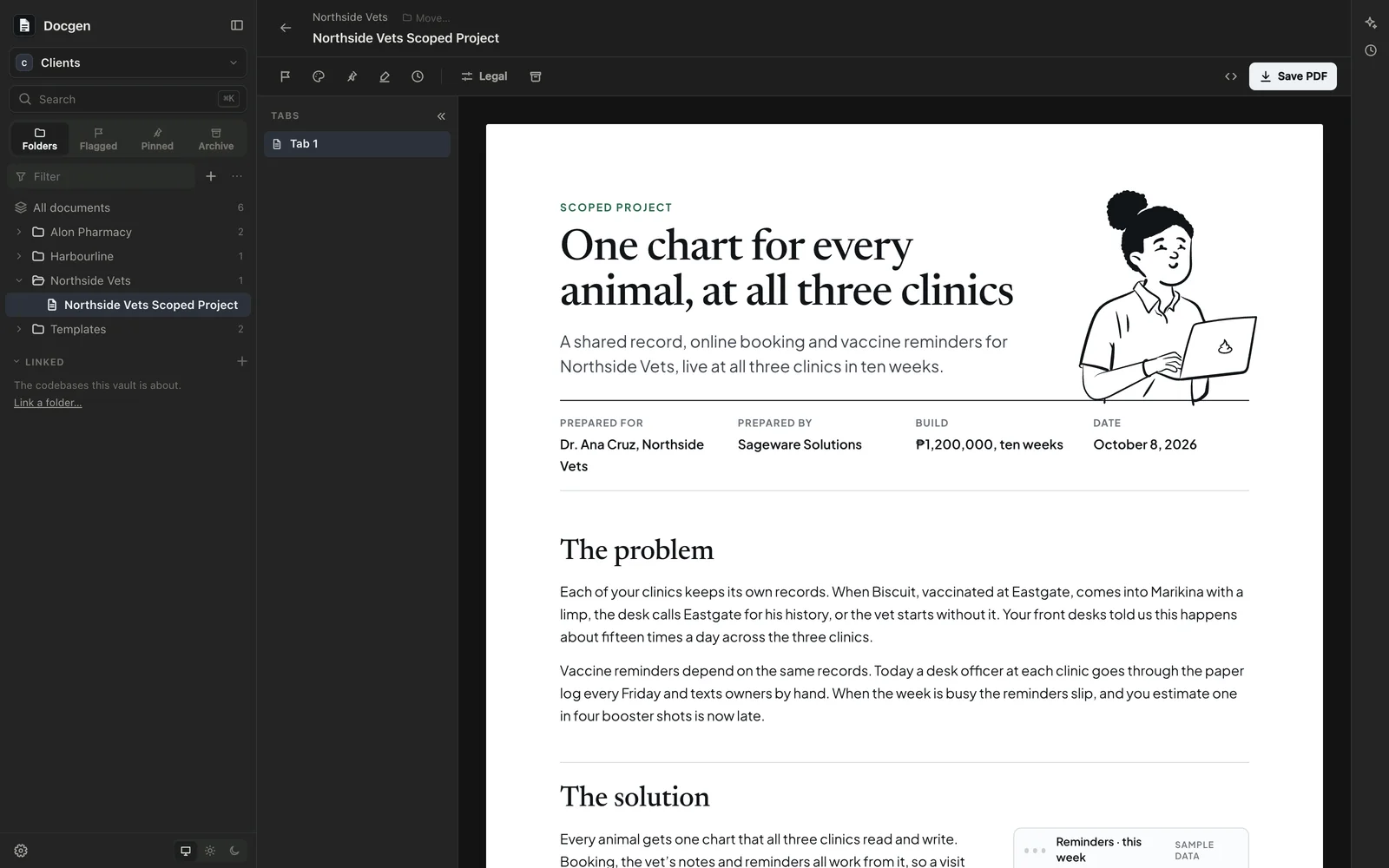
I built Docgen for the documents I send clients: proposals, contracts, invoices and decks. I wanted to write them with an agent, have them come out looking like we made them on purpose, and keep them as files I own instead of in a word processor.
Every document is a file in a folder you choose. Docgen shows the folder as a gallery, lays each document out page by page the way it prints, and saves it as a PDF. You write them by hand or, more often, by asking Claude Code or Codex in the chat beside them, usually from a source document you hand it.
Documents on real pages
- Page setup: paper size (US Letter, Legal, Long, Executive, A4 and A5), orientation, margins and font, previewed as you change them and saved into the file.
- Tabs, like a Word or Google Docs file: versions of a contract, or a set of related papers, each with its own pages.
- Save PDF gives exactly what you see, page breaks and footer included, without the print dialog’s own margins and headers. Export HTML gives one self-contained file.
- Flag a document to follow up on, with a note like “Get it signed”, and highlight text to come back to. Both are saved in the file, so they move with it.
- Search finds text inside documents, not just their titles.
A document is a React component (.doc.tsx) or plain HTML. As a component, line items can be data with the totals worked out, and a letterhead or a party’s details can be written once and shared.
Decks
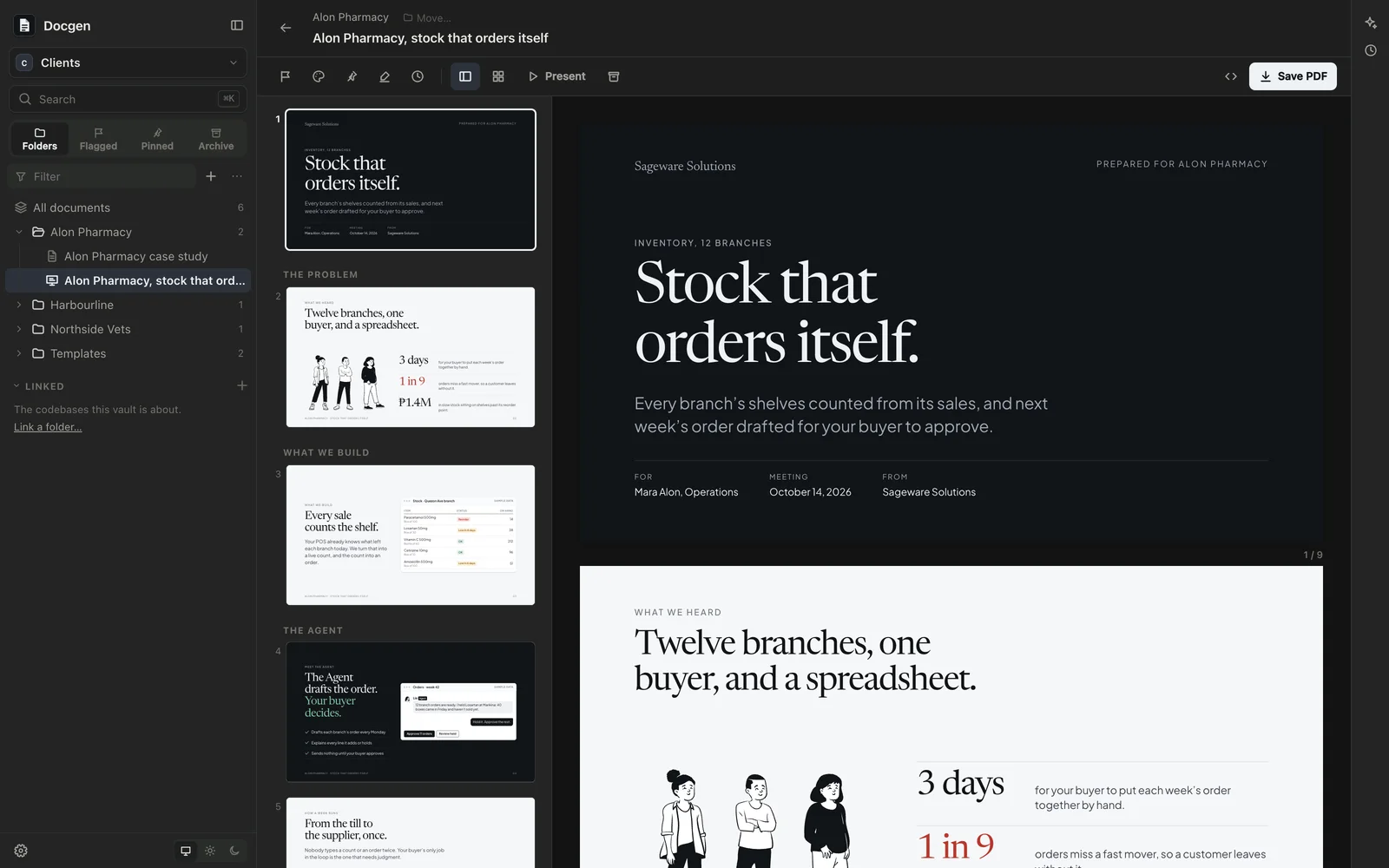
A deck is a set of 16:9 slides in the same format. There’s a slide sidebar, an All slides view grouped by the deck’s parts, Present to play them full screen, and a PDF with one slide per page.
Checked before you see it
The agent can look at what it wrote. Docgen’s look tool draws a document on its pages exactly as the viewer and the PDF do, and gives the agent a picture of each page, with how full each page is, anything running past the margins or off a slide, and blanks still to fill.
When the agent finishes, Docgen checks every document it changed: that it renders, that the agent looked at it after its last change, and that it has no Markdown printed as text, placeholders like “TBD”, or phrases from the banned list in the house style guide. If anything’s wrong, it sends the agent back to fix it, at most twice, before the reply is yours.
The agent writes to a design guide and a house theme, with drawn people, line icons and simple mock-ups to illustrate with, so it spends its effort on the argument rather than the styling.
How it works
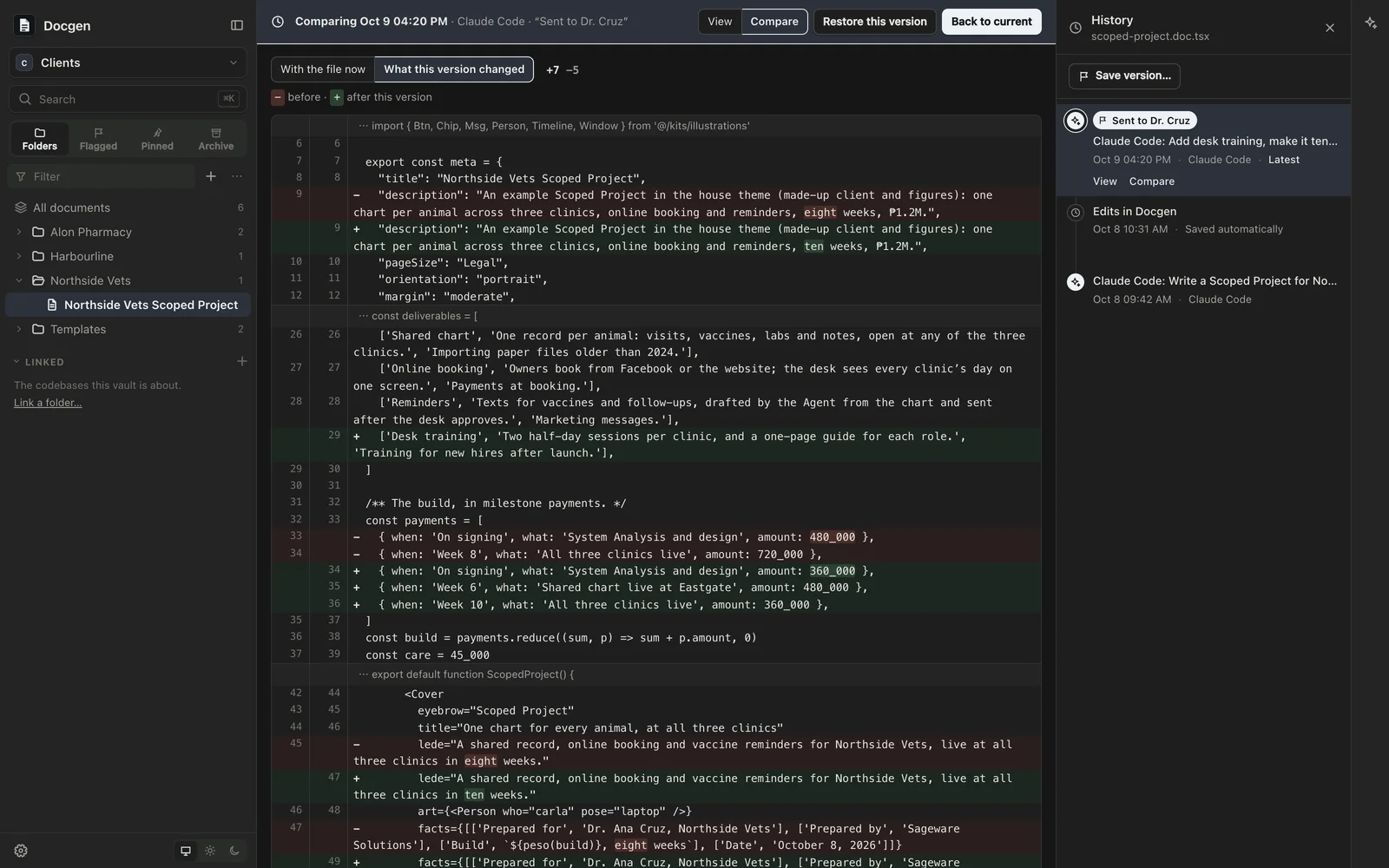
Your documents live in a vault: a plain folder on your Mac that you own. The vault is a git repository, and Docgen keeps its history for you. It saves a version after each agent’s turn and after a quiet spell of your own edits. History shows a document as it was, compares two versions, and restores one as a new version, so nothing is rewritten. You can name a version, like “Sent to the client”, and undo everything an agent’s turn did from the chat.
The agents are Claude Code and Codex, using the sign-in you already have on your computer. Docgen stores no keys. Even on Auto, Claude Code asks before reading a .env file, deleting files, pushing with git, or changing anything outside the vault.
Part of Sageware Studio
Docgen is one of the six apps of Sageware Studio, which share a frame, an agent runtime and their kinds of file. Protogen uses the same document engine for technical write-ups that embed its diagrams and screens. Datagen, Testgen and Atlas cover databases, test suites and codebases.
Requirements
- A Mac with Apple Silicon
- Claude Code or Codex, installed and signed in on your Mac, for the agents. If neither is installed, Docgen offers to install them
- Git, for history. Without it, everything else works
Created by
 Jesse PanganibanCEO, Co-Founder