Datagen 1.1: tabs, reports and a vault you can move
21 October 2026
Datagen keeps what you learn about a database as files in a folder: queries, pages of charts, checks and notes. That works until the folder gets big, or until you want it on a second computer. Datagen 1.1 is about both.
Tabs, and a folder that opens on the reports
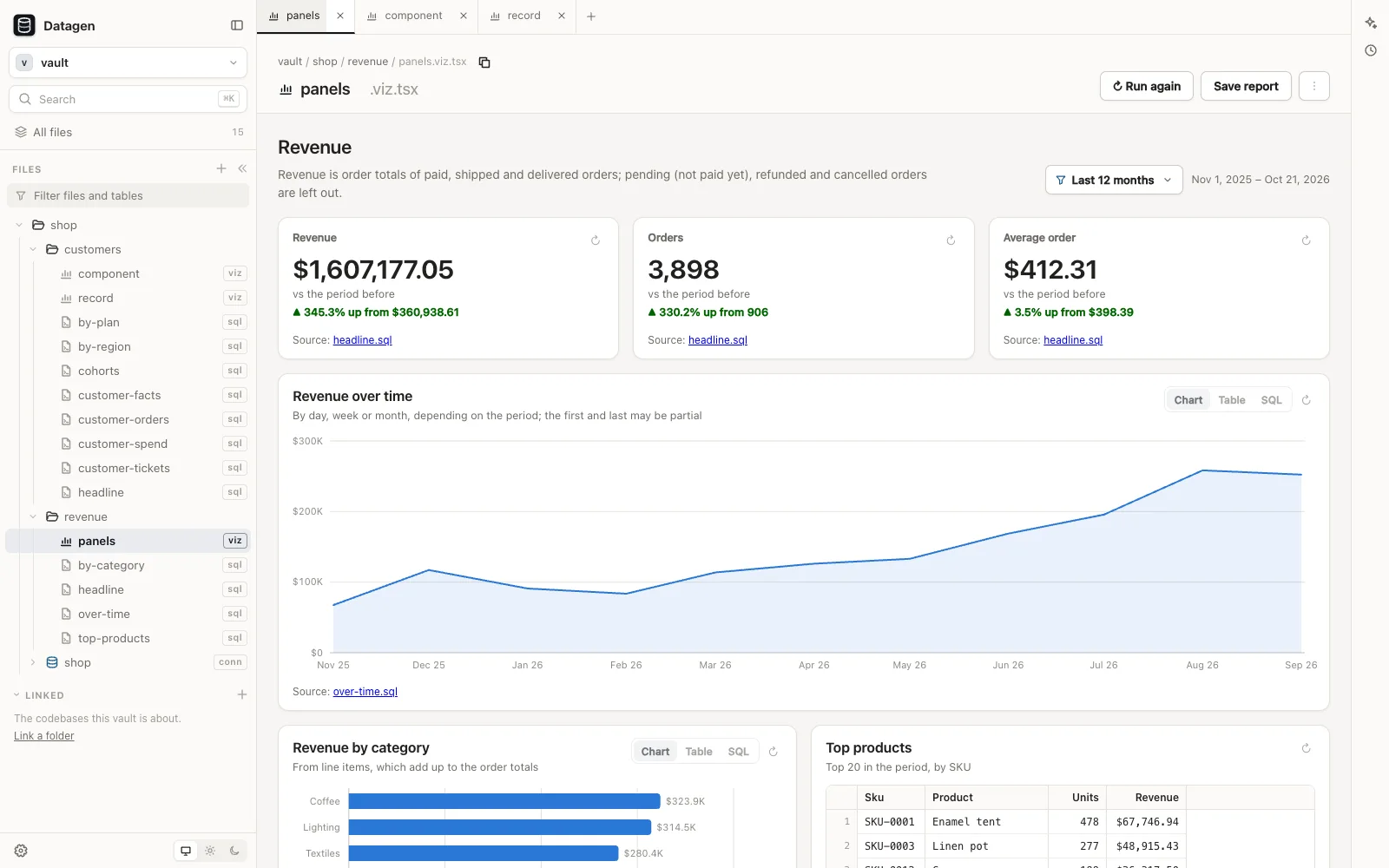
Files now open in tabs. Drag them into order, open one in the background, and the tabs are there when you come back. Each file and folder shows its path above it, with a button to copy it.
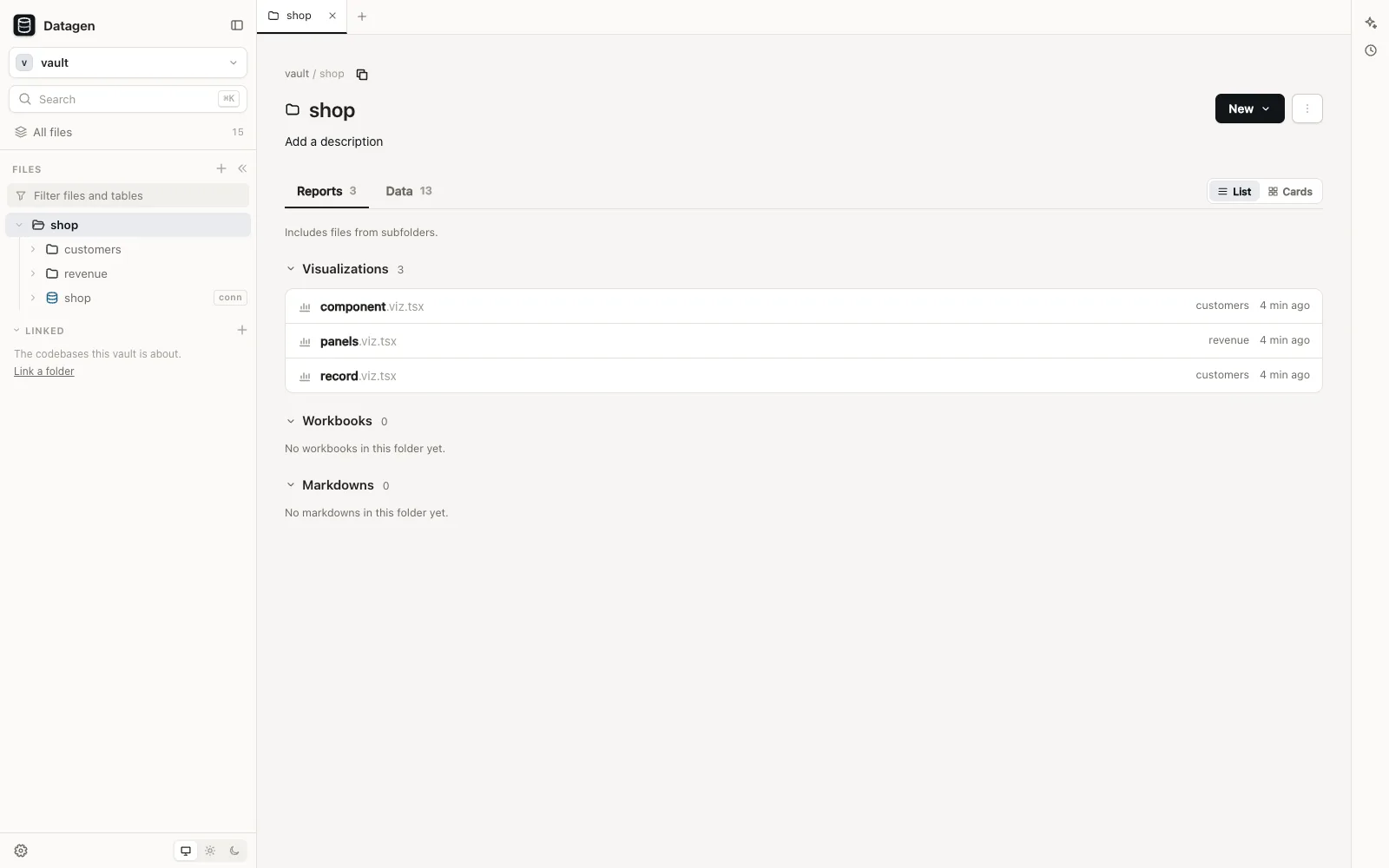
A folder used to list everything in it. It now opens on Reports, the pages, workbooks and notes you’d show someone, and keeps the queries, checks and connections behind them under Data. The files are the same; you see the answers first and the working second.
A page of charts can also Save report: what it shows, written to an Excel workbook that lives in the folder with the rest. A query’s results are kept while you work, so a page you reopen doesn’t run every panel again.
Sensitive fields, reviewed before you start
Some of the databases we work with hold personal data, so masking was already there. Setting it up was the weak part: you had to know which columns to list.
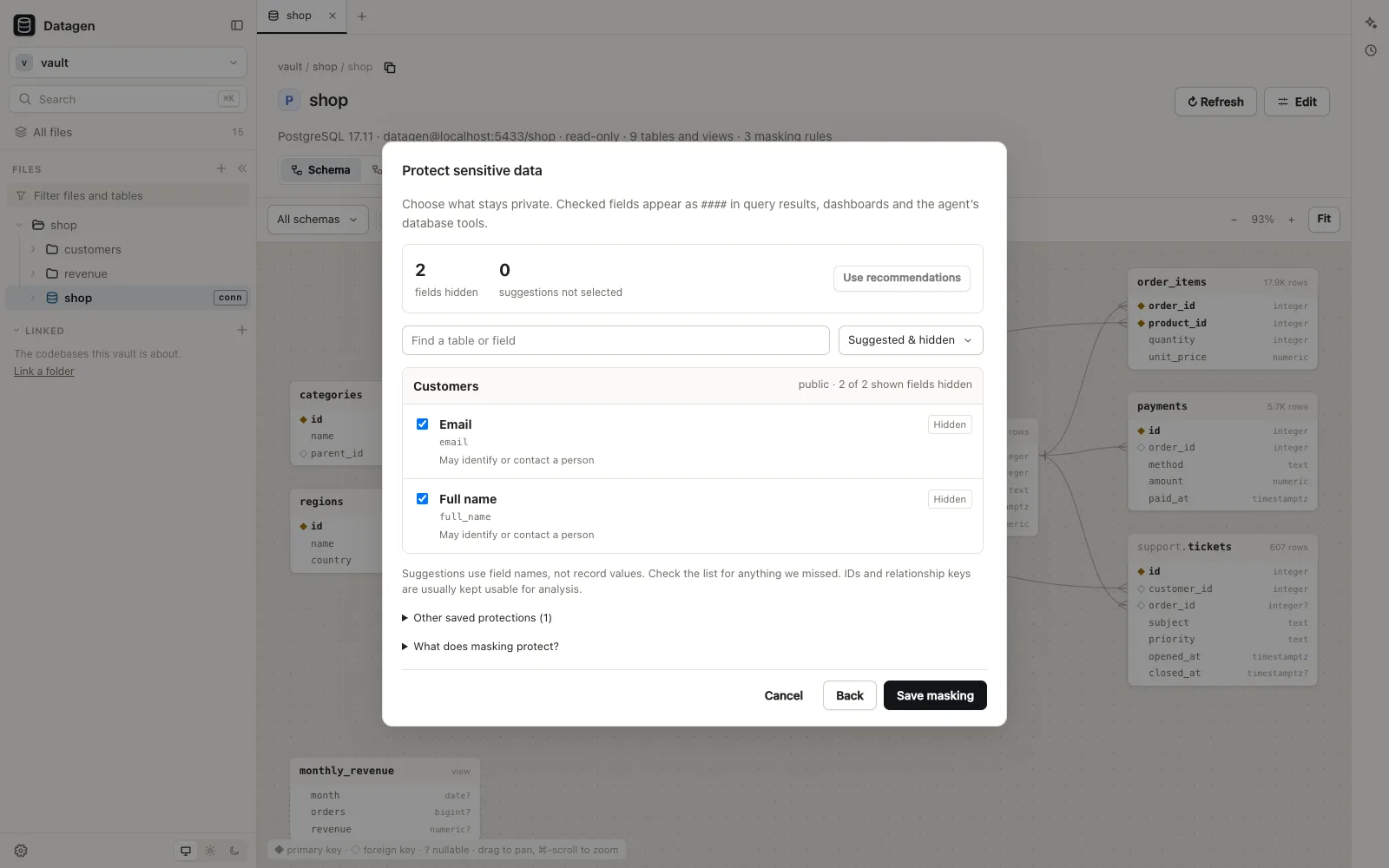
Now, when you add a connection, Datagen suggests fields to mask from their names and shows them in a list. A new connection stays fully masked until you’ve looked through it and saved. The suggestions come from names, not from values, so the list is a starting point. The review says that too.
A connection also has an Analysis tab now. Investigate has the agent test the database for duplicates, missing relationships and records that disagree, then save its findings as notes beside a dashboard of what it flagged. Query errors count as gaps in coverage, not as problems in the data.
A vault you can take with you
Export vault in Settings downloads the whole vault as a ZIP. Drop that ZIP on the new-vault screen of Datagen on another computer and it opens there, connections included. You can export a single top-level folder too.
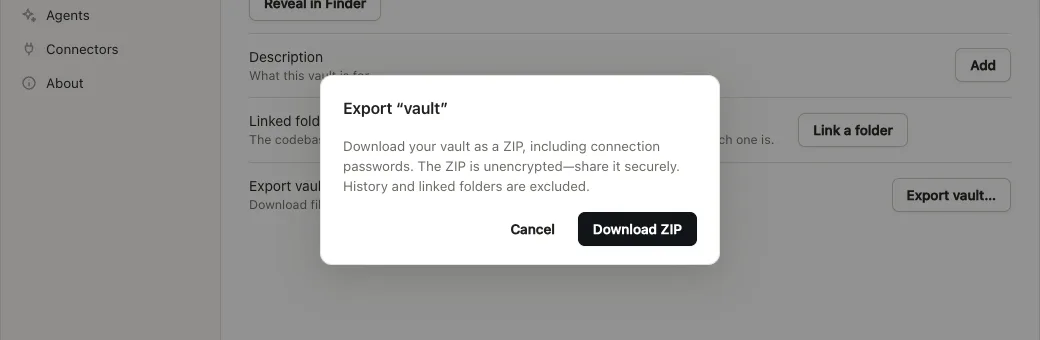
There is a trade-off, and Datagen states it in the dialog. A whole-vault export includes connection passwords and .env files, because a vault without them can’t connect to anything on the other side. The ZIP is not encrypted, so treat it like the passwords inside it. A folder export leaves the credentials out. History and linked folders stay behind in both.
New vaults now start in Documents/Datagen, and a vault imported from a ZIP is named after the folder inside it.
Get it
Datagen 1.1 is on the Datagen page, for Macs with Apple Silicon.