Infragen 1.1: what needs patching, and who can reach it
28 October 2026
Infragen reads your cloud accounts and shows what runs where. Once you can see every service, the next question is which ones need work. Infragen 1.1 answers part of that: which services run software with known vulnerabilities, and which of those anyone on the internet can reach.
Vulnerabilities, worst first
Infragen now scans every container image your services run with trivy, on your Mac. Each image is scanned once, however many services run it. A frontend on Vercel has no image, so Infragen reads the lock files from the commit it was deployed from, in your own clone of the repository.
The new Vulnerabilities page lists services worst first. A service is marked by its critical and high vulnerabilities that have a fix. Nearly every base image carries a few the distribution hasn’t fixed yet, and counting those would mark everything. Medium and low ones are counted in each service’s details.
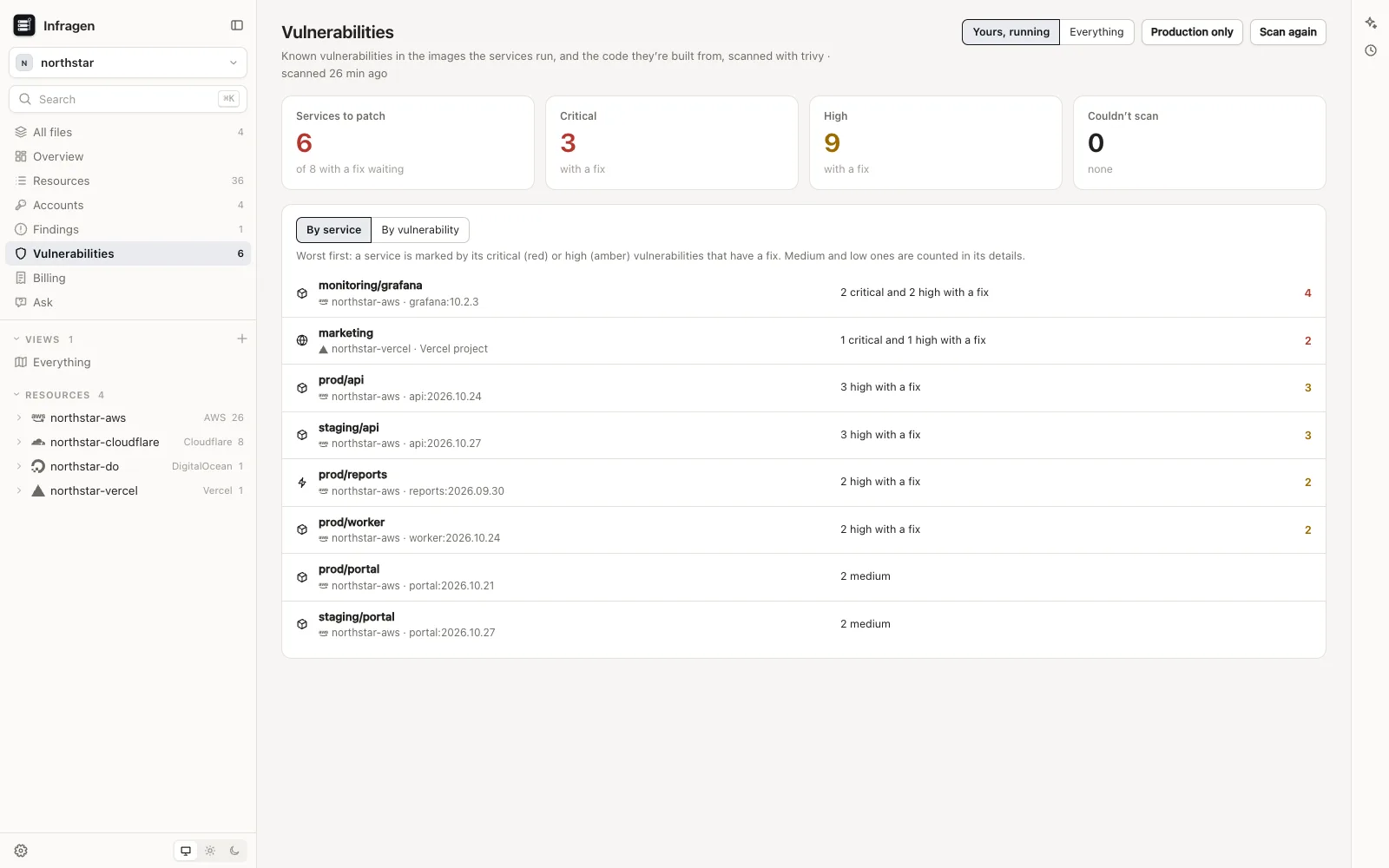
The page starts with what’s yours and running. A cluster also holds things nobody on your team built, such as an ingress controller or cert-manager. A service counts as yours if it runs an image from a registry your accounts hold, is code you deployed, or answers to one of your names. A Grafana you run behind your own domain is yours to keep patched, even though you didn’t write it. Everything shows the rest, and Production only narrows to what’s tagged env:prod.
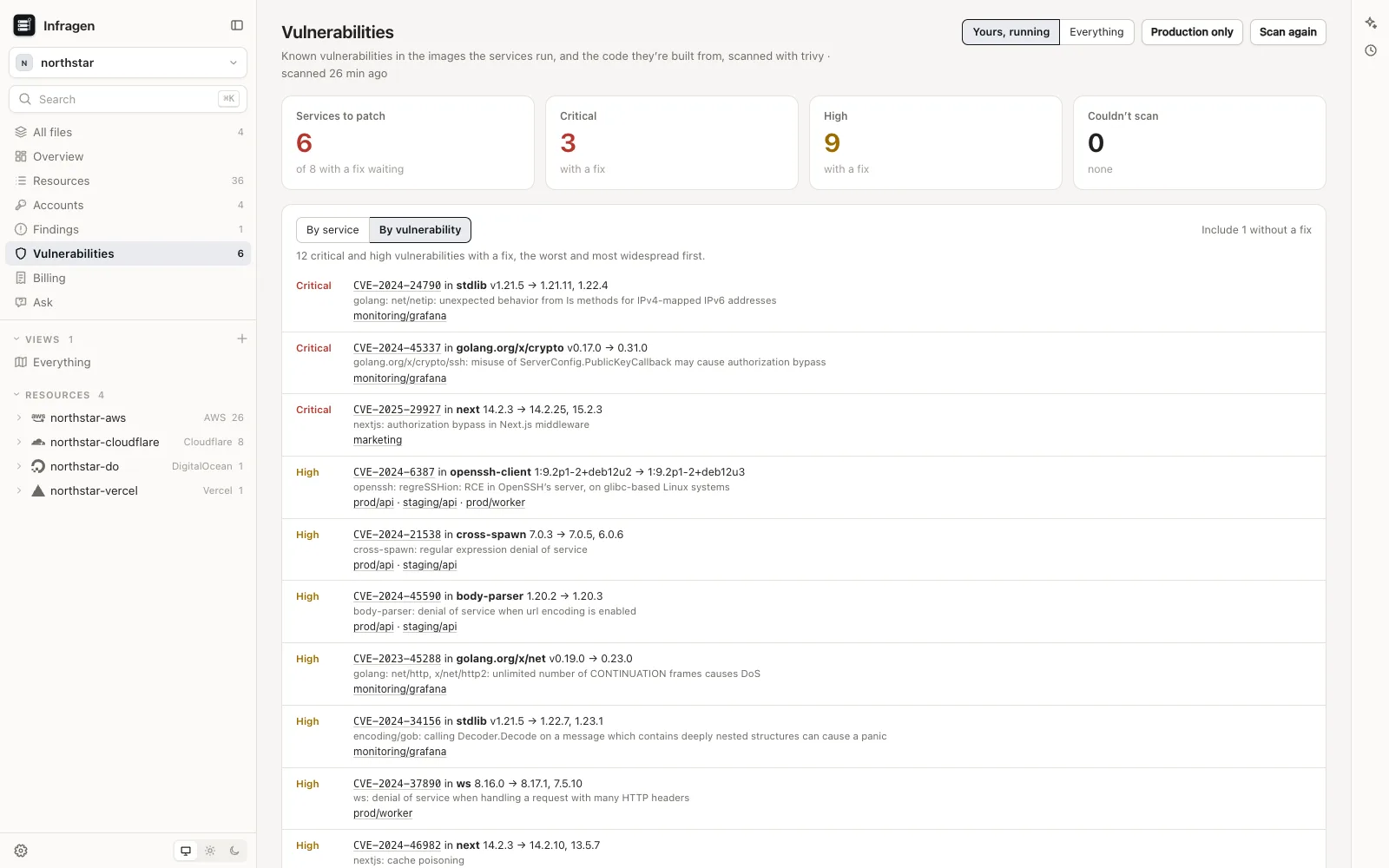
Switch to By vulnerability to see each CVE once, with the version that fixes it and every service it’s in. One upgrade to a shared base image often clears several services.
Who can reach it
A critical vulnerability in a service only your VPN can reach is less urgent than a high one anyone can reach. Each service’s details now say who can reach it: anyone on the internet, some addresses only, only through the VPN, or only inside its network. They also list each way in, through which name and load balancer, and the allow-list that applies.
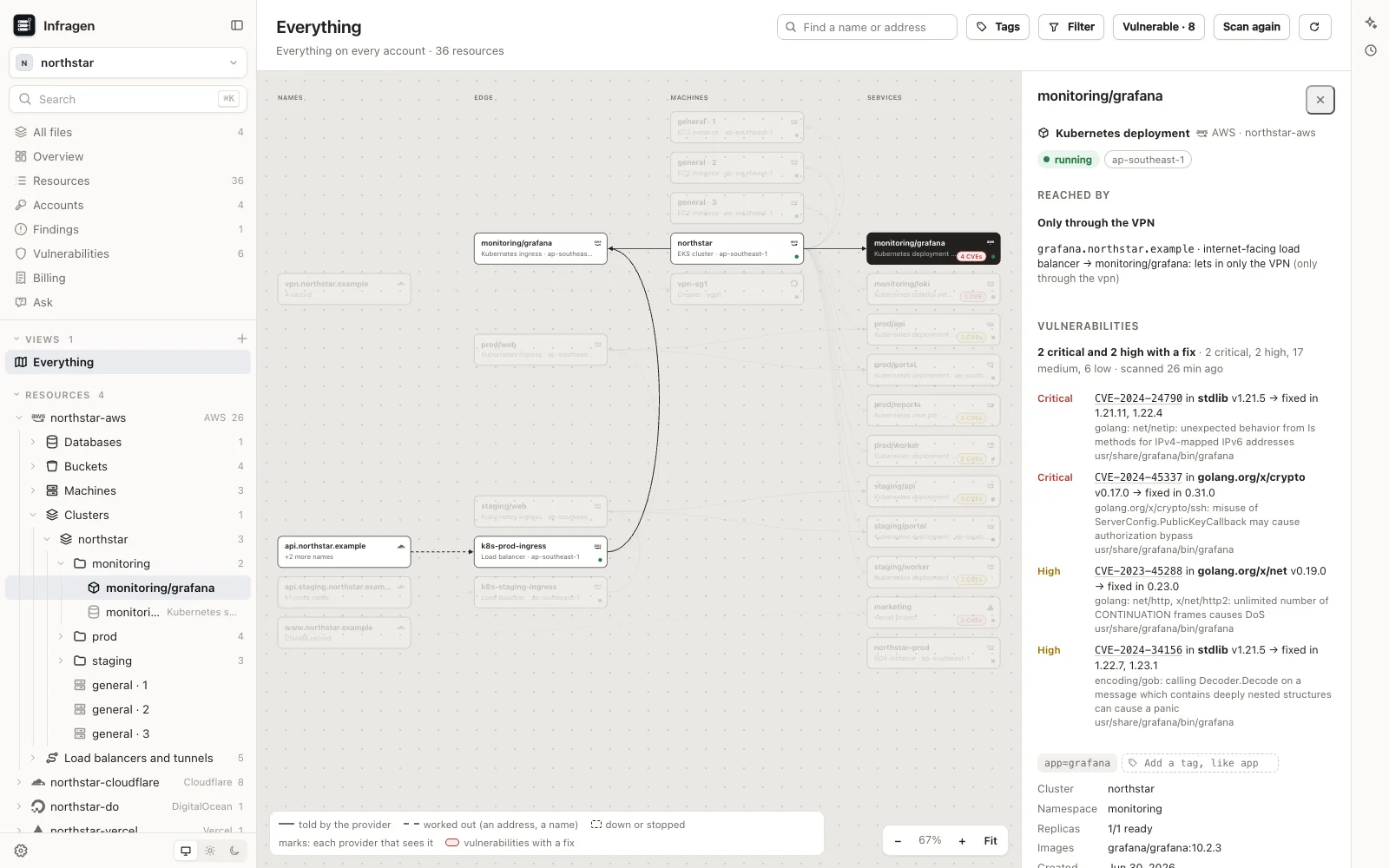
Infragen works this out from what it already reads: public names, internet-facing load balancers, and the allow-lists on Kubernetes ingresses. The VPN is whatever you tag role:vpn. Infragen doesn’t read machine firewalls, so a name that points straight at a machine counts as public.
When a sign-in runs out
AWS, Azure and Google Cloud accounts that use the command-line tools on your Mac depend on sign-ins that expire. Infragen now checks them every five minutes while it’s open. An account whose sign-in has run out shows Signed out in the sidebar, the Overview, Accounts and Findings, with the command to sign in again. Its last read stays on show in the meantime. Once the sign-in works again, Infragen reads any account whose read failed while it was out.
Also new
- Vercel is a provider. Each project is a site, with the domains it serves and the repository and commit its production deployment was built from.
- Views can narrow to what’s yours and what’s running. A view of services alone is drawn as a grid, grouped by cluster, with each service’s image.
The usual limits
Scans only read. Images are pulled straight from their registries, and private ECR images use a password from the aws CLI that is never written down. The scans are kept in the vault, so with history on you can see when a vulnerability appeared and when it was fixed. A scan finds known vulnerabilities in the packages an image declares. It isn’t a penetration test, and trivy has to be installed on your Mac (brew install trivy).
Get it
Infragen 1.1 is on the Infragen page, for Macs with Apple Silicon.